
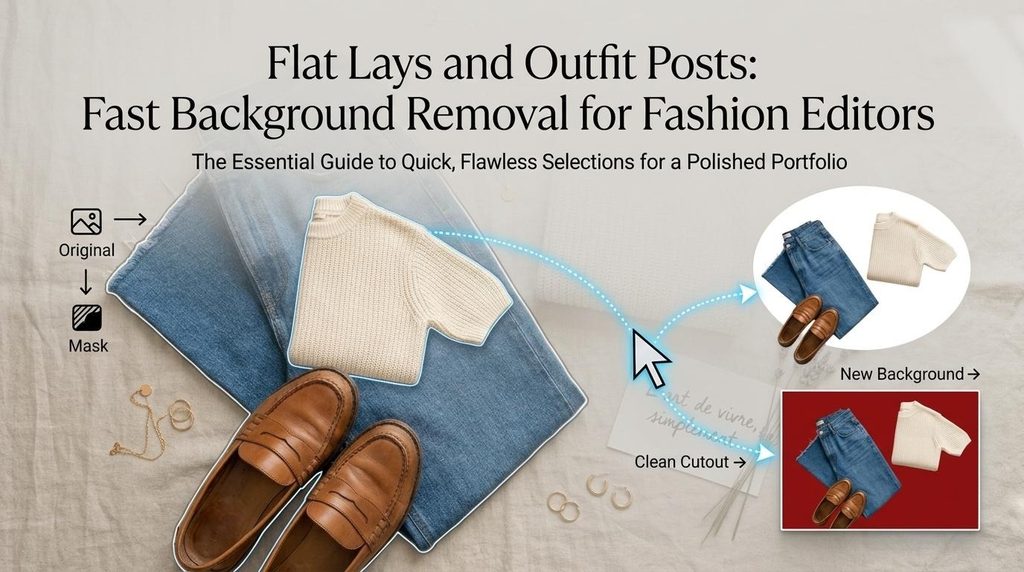
The Outfit Is Right. The Background Is Ruining the Picture
You’ve set up the perfect outfit flat lay. All the clothes are styled beautifully; everything is paired perfectly and it all just feels right.
Wait a minute… What’s with the cluttered carpet in the background? That’s certainly not what you had imagined!
A stylish editorial photo can get lost in a cluttered background even if you’re a fashion editor or style blogger. Plus, your schedule doesn’t include another shoot. Fortunately, background removal tool allows you to polish up old photos, maintain a consistent aesthetic, and make your posts shine with those perfect editorial touches.
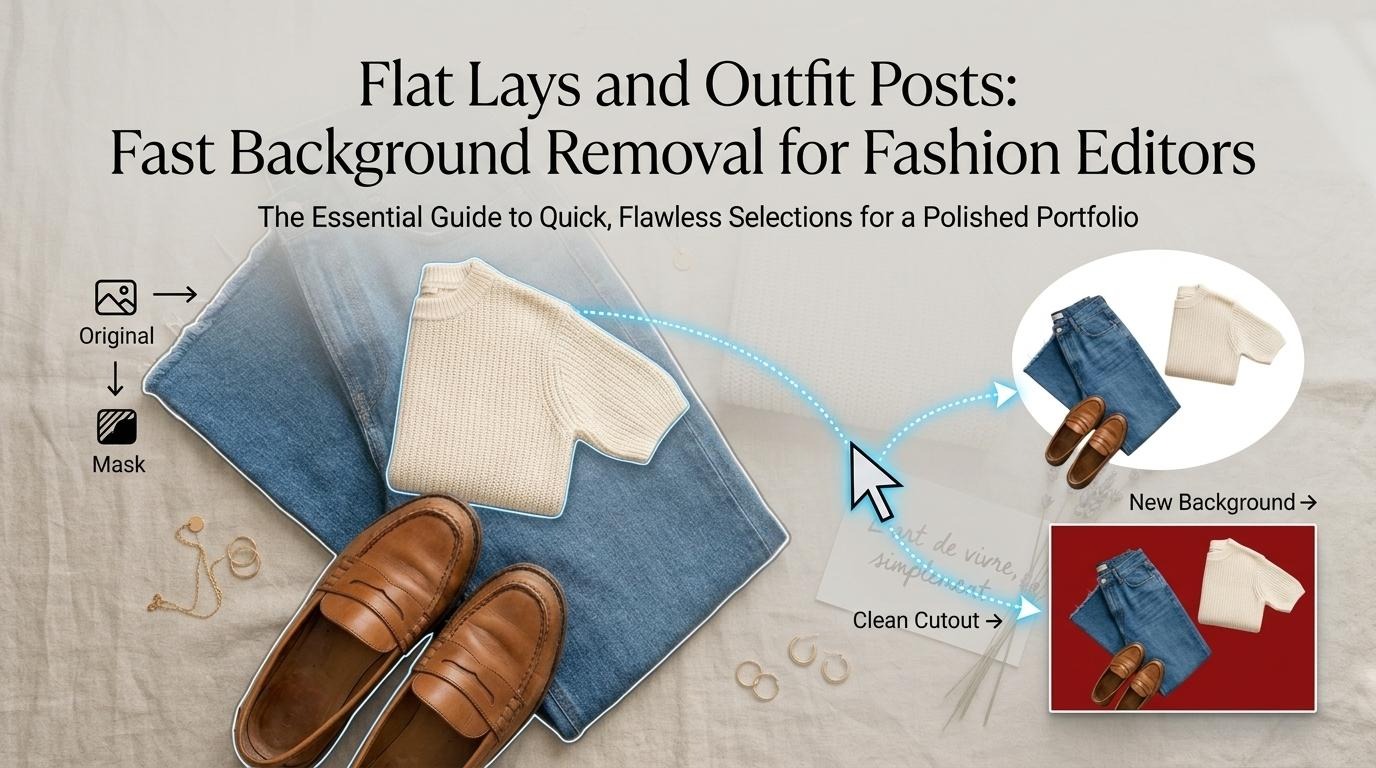
One Outfit, Three Backgrounds: A Quick Editorial Experiment
What if a single background could completely change the look of one outfit? Let’s play this scene out. Imagine a very basic outfit like a knit sweater, blue jeans, loafers with a handbag being staged for a flat layout.
Version A — The Original
The outfit is absolutely fine, but the mess of an apartment floor and a couple of nearby objects dominate the shot. It works as a laid-back post, but it really is not something you would put out as a professional fashion carousel.
Version B — The Clean Edit
So now, the distraction is gone and you can see the outfit against a soft white background. What a difference! The clothes are more visible, the accessories are nicely displayed, and the whole layout has a fresh and neat look.
Version C — The Fashion-Editorial Edit
Looking for some more personality? Consider shade of pale pink or muted grey or burgundy, that will coordinate with your outfit. It will add to the finished magazine quality to your image.
Test Image 1: Flat-Lay Transformation
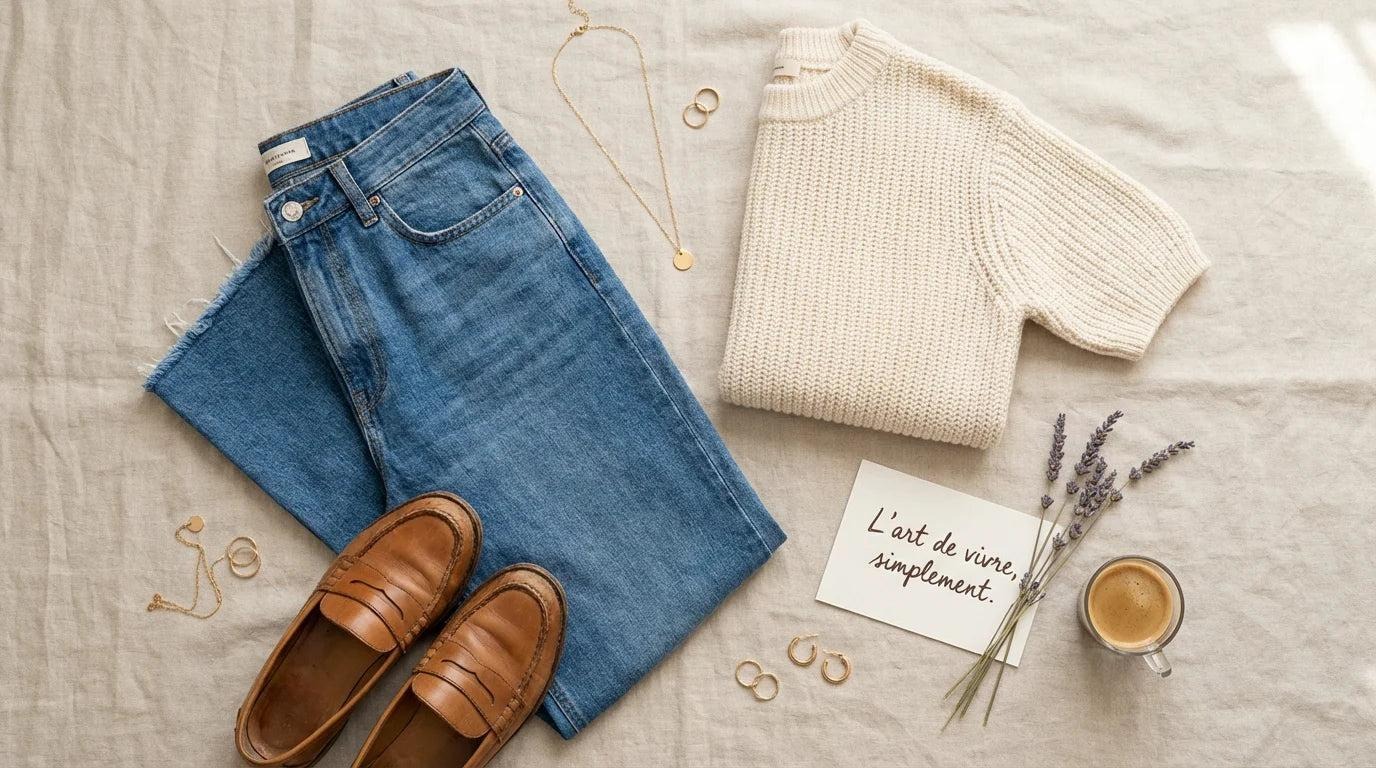
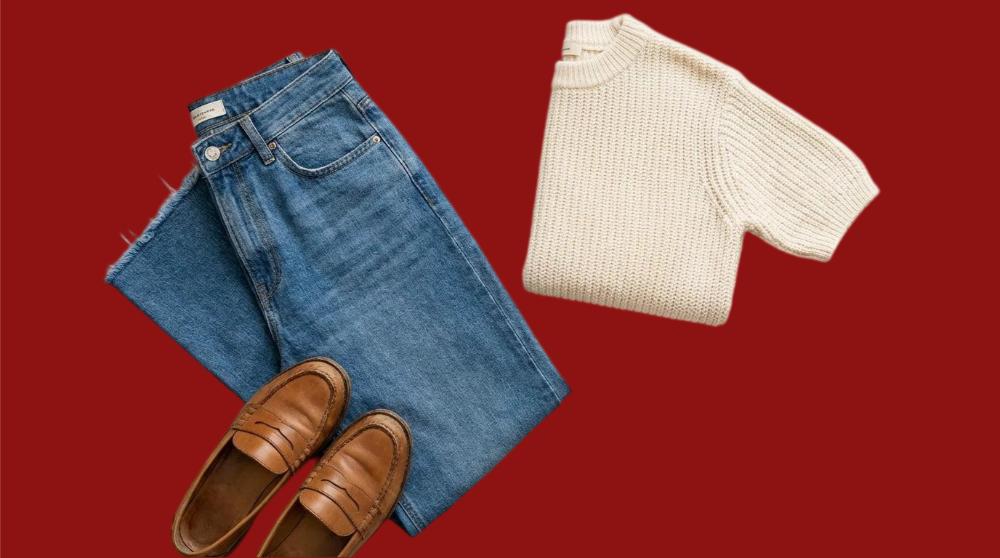
Here’s the impact of a clean background. In this example we use a flat lay image of a cream sweater, blue denim jeans, and brown loafers. The clothes are nicely laid out, but the cluttered surface gives the photograph a lazy feel.
– Before – The original photo: The outfit and accessories were perfect, but the background was distracting. The things on the floor, as well as the texture on the floor itself, distract the eye.
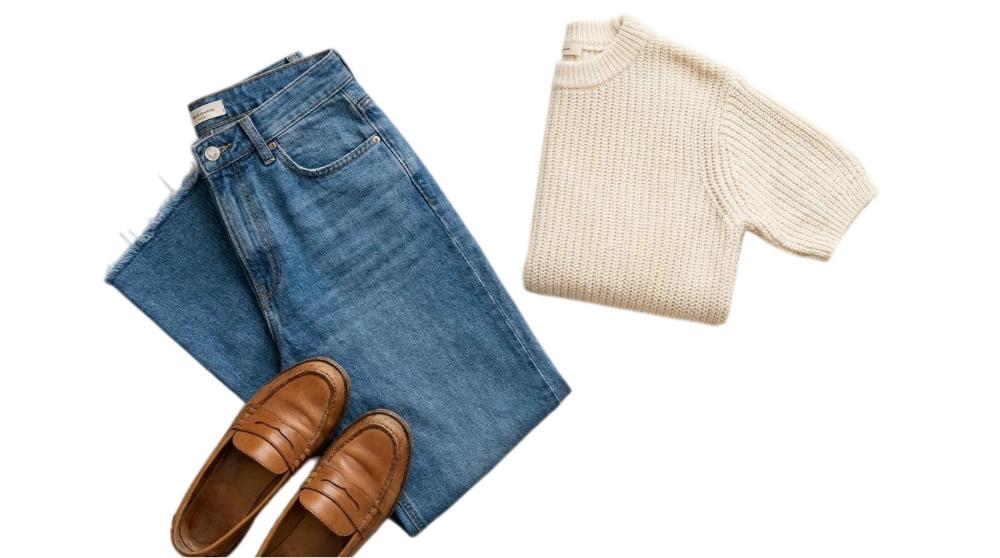
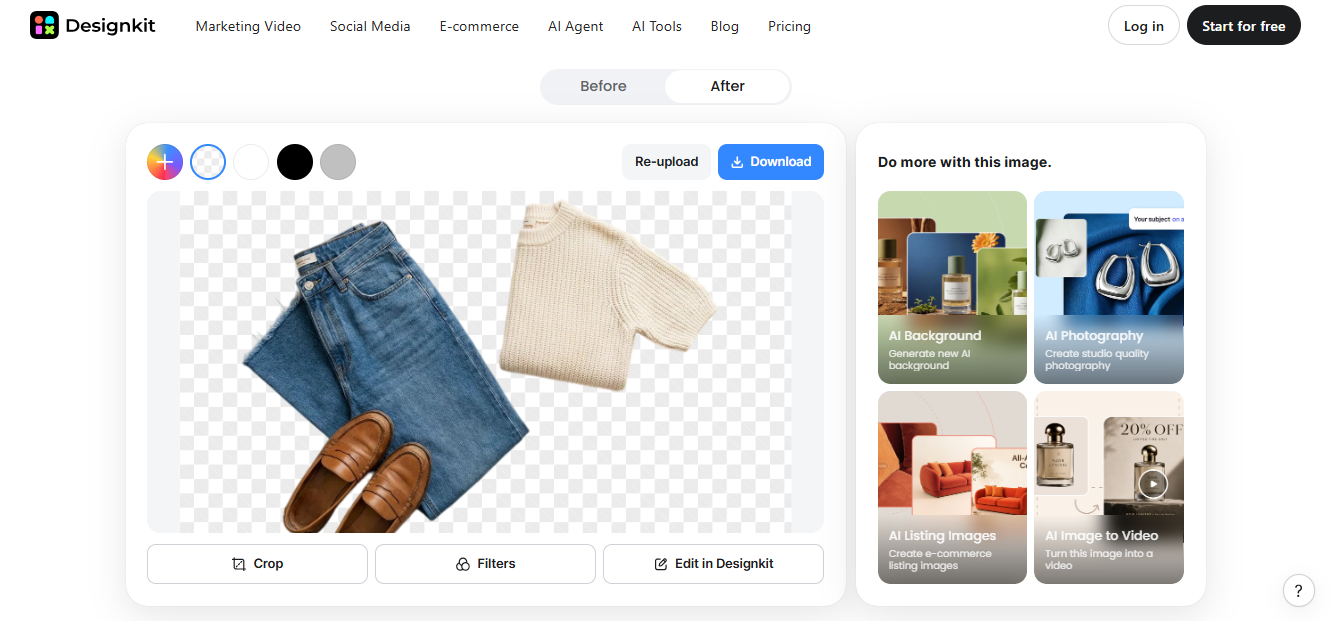
– After 1 — Transparent/White Background: Take the background away and it’s just the sweater, jeans, and loafers. Each item is now individually visible. The transparent cut-out further allows editors to use these pieces as the outfit anywhere!
– After 2 — Burgundy Background: The next step is to introduce a burgundy background. Now the flat lay feels cleaner and more refined. The burgundy color works well with the sweater since it is light in color, and it makes the denim blue and brown accessories pop as well.
The Background-Removal Trick Fashion Editors Can Actually Use
So how did we go from this cluttered flat lay to the clean editorial picture?
The answer is: with the help of Designkit’s AI free background remover.
This tool instantly spots all of the garments and accessories and then simply whisks the background away to leave a clean cutout of the product. Say goodbye to Photoshop, tracing and editing!
For our flat-lay example, we took out the cluttered floor and left us with the sweater, jeans and loafers. The tool not only place the image on a transparent background but provide options for different colors, resulting in the second image with burgundy background. Easy!
Here’s what makes Designkit useful for fashion editors:
- One-click background removal: Automatically removes cluttered backgrounds while preserving outfit details.
- 100 free cutouts daily: Process up to 100 images per day without paying.
- Batch editing: Upload up to 15 photos at once to prepare entire outfit collections faster.
- Custom backgrounds: Choose transparent, white, or any solid color to match your editorial style.
- Full-resolution exports: Sign in to download up to 100 full-size images daily for free.
- More editing options: Resize photos, enhance clarity, extend backgrounds, and prepare images for Instagram or online stores.
Four Ways to Restyle a Fashion Image Without Reshooting It
Have a bunch of outfit photos that aren’t quite your jam? Don’t delete them just yet! Designkit can help you breathe new life into those shots without having to grab your camera again. Here’s how to use four different ways.
- Make a flat lay look like a curated mood board
Don’t let a dirty floor ruin an outfit that would have been a hit!
First, remove backgrounds from your shoes, jewelry, clothing, and handbag photos. Next, place them on a plain background with gaps in between.
Here’s the result. A fresh, magazine-worthy style board – just right for capsule wardrobe posts, seasonal outfit inspiration, packing lists and styling advice.
- Give outfit-of-the-day posts a cleaner finish
Like your selfie of the outfit but hate the chaos behind you? Designkit can erase the distracting environment so your outfit pops.
Select a soft pink, beige or pale grey background that will suit your outfit. Don’t forget to zoom in and review details like stray hair, loose fabric, handbag straps and the edges of your outfit!
- Create a consistent visual identity across a carousel
Have you ever wondered why some fashion carousels look aesthetic? Well, a little consistency can go a long way.
Use the Designkit’s batch editing feature to apply the same kind of editing to up to 15 pictures of your outfit all at once. Use the same background colors, spacing, and framing throughout the set. Resize for mobile or website.
The Five-Minute Fashion-Image Prep Routine
Got an outfit photo ready for your next post? Here’s a quick five-step routine to give it a polished finish without spending hours editing.
| Step | What to Do |
| 1. Pick the Strongest Original | Choose a well-lit photo where the outfit and accessories are clearly visible. |
| 2. Remove the Distractions | Upload your photo to Designkit and preview the automatic background removal. |
| 3. Style the Backdrop | Keep it transparent or choose a soft ivory, beige, or muted color that complements the outfit. |
| 4. Check the Details | Zoom in to inspect fabric edges, textures, handbag straps, shadows, and overall composition. |
| 5. Prepare the Final Crop | Resize for Instagram, blogs, or lookbooks, then export the version that fits your layout best. |
Conclusion
Have you ever taken a ‘perfect photo of an outfit’ and the background was not so much?! There is no need to do it all again. Whether you are doing flat lays, outfit of the day or fashion carousels, replacing the background will change the game.
Here’s the bottom line: thanks to Designkit, you can clear those unwanted distractions, try out some cute background colors, and turn your pics into professional-quality editorial posts all in just a few minutes. So why schedule your next photoshoot today? Give those outdated outfit photos another once over-they just might be a blank background away from your next fabulous post!